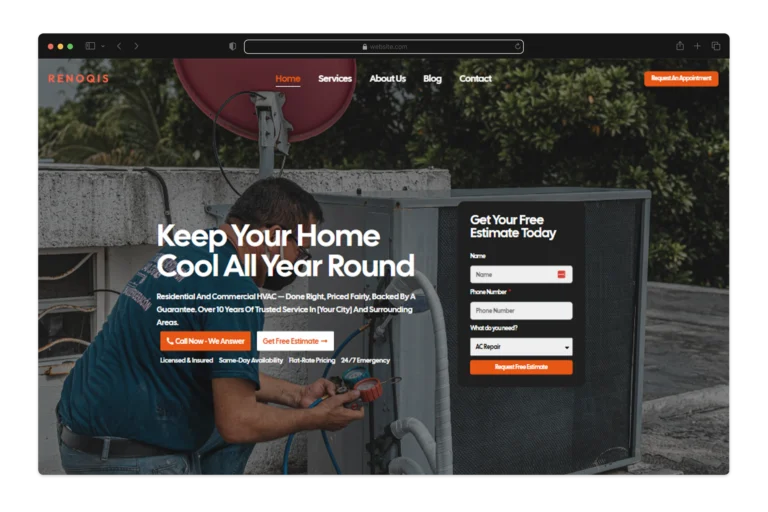
Your competitor’s website loads in 1.7 seconds. Yours takes 4.3. That 2.6-second gap costs you 38% of your mobile visitors before they see your first headline.
Custom websites eliminate this gap. They’re built for your specific conversion goals, not for 50,000 other businesses using the same Squarespace theme.
Why Template Solutions Fail Modern Business Requirements
Wix and Squarespace charge $29 monthly. Then you need the e-commerce add-on ($27), the email marketing plugin ($15), the booking system ($22), and the premium theme ($149 one-time). Year one costs $937. Year three costs $2,100 when you add developer hours fixing plugin conflicts.
That’s the visible cost.
The invisible cost shows up in Google Analytics. Template sites average 4.2-second load times because they bundle code for features you’ll never use—a restaurant reservation system on your consulting site, e-commerce checkout on your portfolio, blog functionality on your SaaS product pages. Google’s Core Web Vitals penalizes anything slower than 2.5 seconds. Your template loads at 4.2 seconds, so you rank on page three instead of page one.
Functionality constraints create worse problems. A SaaS company needs product demo scheduling that syncs with Calendly, pushes leads to Salesforce, and triggers email sequences in HubSpot. Templates offer plugins that approximate each function. The Calendly plugin conflicts with the Salesforce plugin. The HubSpot integration breaks when either updates. You’re paying a developer $125/hour to troubleshoot problems that shouldn’t exist.
Professional services firms need client portals where customers access documents, approve proposals, and track project status. Templates can’t build this. You end up with three separate tools—Dropbox for files, DocuSign for approvals, Asana for project tracking—and clients complain about the disjointed experience.
The compounding failure emerges after 18 months. Your business has evolved. You need features the template can’t support. You’ve invested $3,200 and hundreds of hours. Now you’re rebuilding from scratch anyway.
The Business Case for Custom Development
A Minneapolis law firm spent $42,000 on custom development in January 2023. Their template site converted 1.4% of visitors into consultation requests. The custom site converted 4.1%. Monthly traffic stayed constant at 3,200 visits. Consultation requests jumped from 45 to 131 monthly. At a $4,800 average case value and 35% close rate, that’s an additional $144,480 monthly. The site paid for itself in nine days.
Custom sites averaged 1.8-second load times in a 2023 analysis of 2,000 business websites. Templates averaged 4.2 seconds. Conversion rates followed: 3.7% for custom, 1.9% for templates. The speed difference alone justifies the investment.

Photo by Bibek ghosh on Pexels
Search visibility creates compounding returns over years. Custom sites allow granular control over HTML structure, schema markup, and content architecture. Templates lock you into their structure. You can’t modify the heading hierarchy. You can’t control how product data gets marked up. You can’t optimize the URL structure without breaking existing links.
Security matters more each year. A financial advisory firm handling $340 million in client assets needs different security protocols than a bakery. Custom development implements security appropriate to your threat model—two-factor authentication, encrypted data storage, SOC 2 compliance, audit logging. Templates apply generic security that either over-engineers simple sites or under-protects complex ones.
Core Components of Effective Custom Development
Discovery takes two weeks. You map user personas—not generic “small business owners” but “45-year-old manufacturing plant managers researching CNC machines during lunch breaks on mobile devices.” You document their questions, objections, and decision criteria. You identify where they get stuck in your current funnel.
This research determines information architecture. A SaaS company might need separate paths for end users, IT decision-makers, and C-suite executives. Each persona sees different content, different proof points, different calls-to-action.
Design systems replace arbitrary aesthetic choices. You define eight colors, not eighty. You establish a six-level typography scale with specific use cases for each level. You create 40 reusable components—buttons, form fields, cards, modals—that combine into infinite layouts while maintaining visual consistency. This system accelerates development. A new landing page takes four hours instead of forty because you’re assembling components, not designing from scratch.
Frontend architecture determines what users experience. React, Vue, and Svelte enable dynamic interfaces—product configurators that update pricing in real-time, dashboards that refresh without page reloads, forms that validate as users type. Progressive enhancement ensures core functionality works even when JavaScript fails. A product catalog remains browsable. A contact form still submits. You’re not excluding the 2% of visitors with JavaScript disabled or the 8% on corporate networks that block certain scripts.
Responsive design adapts layouts for screens from 320px to 2560px. Not “mobile-friendly”—truly optimized. Mobile users see a streamlined interface prioritizing conversion actions. Desktop users see richer content and secondary navigation. Tablet users get something in between.
Backend infrastructure handles business logic. An e-commerce site needs inventory management, order processing, shipping calculations, tax compliance, and fraud detection. A membership site needs user authentication, subscription billing, content access control, and usage analytics. Technology choices depend on requirements. PostgreSQL for complex relational data. MongoDB for flexible document storage. Redis for caching. AWS Lambda for serverless functions.

Photo by cottonbro studio on Pexels
Headless CMS platforms like Contentful or Sanity separate content from presentation. You create a blog post once. It appears on your website, in your mobile app, in your email newsletter, on your digital signage—all pulling from the same source. Update it once, update it everywhere. Traditional WordPress couples content to presentation. Change your website design, migrate all your content.
Technical Requirements That Drive Success
Page speed starts with efficient code but extends to infrastructure. Cloudflare’s CDN distributes assets across 275 global server locations. A visitor in Singapore loads images from a Singapore server, not from your Virginia data center. Latency drops from 240ms to 18ms.
Modern image formats cut file sizes dramatically. A JPEG hero image weighs 420KB. The same image in WebP format weighs 180KB with identical visual quality. AVIF format drops it to 95KB. Multiply that across 40 images per page and you’ve saved 12MB of data transfer.
Accessibility compliance serves 61 million Americans with disabilities—and improves experience for everyone. Semantic HTML helps screen readers navigate content. Keyboard navigation helps users who can’t use a mouse. Sufficient color contrast helps users in bright sunlight. Captions help users in sound-sensitive environments. WCAG 2.1 Level AA compliance isn’t optional—accessibility lawsuits have increased 300% since 2018. But it’s also good business. Accessible sites convert better for all users.
Schema markup transforms content into structured data search engines understand. Product schema displays prices and availability directly in search results. Review schema shows star ratings. FAQ schema generates expandable rich snippets. Local business schema adds map integration and hours. This structured data increases click-through rates 20-40% according to Search Engine Journal’s 2023 analysis.
Analytics implementation goes beyond Google Analytics pageview tracking. Custom event tracking monitors specific actions—video plays, scroll depth, form field completion, feature usage, outbound clicks. You discover that 67% of visitors watch your explainer video but only 23% click the CTA afterward. The video isn’t the problem. The CTA placement is. You move it and conversions jump 34%.
Integration Capabilities That Extend Functionality
CRM integration eliminates data silos. A visitor fills out a contact form. That submission creates a Salesforce lead with full behavioral history—pages viewed, content downloaded, time on site, return visits. Your sales team calls knowing exactly what the prospect cares about. No “tell me about your needs” discovery call. You’re already having an informed conversation.
Payment processing requirements vary by business model. Stripe handles straightforward transactions—$2.9% plus 30¢ per charge. Subscription businesses need recurring billing, proration when customers upgrade mid-cycle, dunning management when cards decline. Marketplaces need split payments—80% to the vendor, 20% to the platform, minus processing fees. Custom development accommodates these specific requirements instead of forcing your business model into platform constraints.

Photo by Luna Lovegood on Pexels
Marketing automation creates cohesive experiences. A visitor downloads your pricing guide. That action triggers a Pardot workflow. They receive a three-email sequence over five days. Their website behavior scores their engagement. High-scoring leads get routed to sales immediately. Low-scoring leads stay in nurture campaigns. The website personalizes content based on email engagement—someone who clicked the enterprise pricing link sees enterprise case studies on their next visit.
Inventory management prevents overselling. Real-time stock levels display on product pages. When inventory drops below 50 units, the purchasing team gets alerted. When a customer orders, the fulfillment system receives details automatically—no manual order entry, no shipping delays, no transcription errors.
Third-party APIs extend capabilities without custom development. Mapbox displays store locations with custom styling. OpenWeather personalizes content based on conditions—promoting snow blowers to visitors in blizzard zones. DeepL translates content for international visitors. Twitter API displays recent posts. The key is implementing these cleanly so they enhance rather than compromise performance.
Maintenance and Evolution Strategies
Security patches require ongoing attention. WordPress releases updates every 47 days on average addressing vulnerabilities. Delayed patching exposes sites to known exploits. Automated monitoring detects anomalies—unusual login attempts, unexpected traffic spikes, file modifications. You catch compromise attempts before they succeed.
Performance monitoring identifies degradation before users complain. Core Web Vitals tracking shows load time trends. You notice load times crept from 1.8 seconds to 2.4 seconds over three months. Investigation reveals a third-party analytics script added by marketing. You optimize it and return to 1.8 seconds. Error logging catches broken functionality. A form submission fails for users on Safari 14. You fix it before it costs you leads.
Content updates need streamlined workflows. Marketing team members add blog posts, update product information, and modify page content without developer involvement. Training takes two hours. Documentation provides reference. Governance policies maintain quality—no Comic Sans, no auto-playing videos, no walls of unformatted text.
Feature additions respond to changing needs. Year one roadmap includes blog launch, case study templates, and email capture optimization. Year two adds customer portal, resource library, and interactive ROI calculator. Year three implements personalization engine, chatbot, and advanced analytics dashboard. Incremental improvements compound over time.
Conversion optimization treats websites as experiments. A/B testing compares headline variations. “Increase Revenue 40%” versus “Reduce Costs $50,000 Annually” versus “Join 2,400 Growing Companies.” The cost-reduction headline wins with 4.2% conversion versus 3.1% and 2.8%. Multivariate testing examines combinations—headline, hero image, CTA button color, form length. Statistical significance at 95% confidence determines which variations become permanent.

Photo by www.kaboompics.com on Pexels
Cost Structures and Investment Returns
Development costs reflect complexity. A brochure site with 12 pages, contact forms, and blog starts at $15,000. E-commerce platforms with 200 products, custom product configurators, and inventory integration range from $40,000-80,000. SaaS applications with user dashboards, subscription management, and API integrations start at $100,000.
Ongoing costs include hosting ($50-500 monthly based on traffic), security monitoring ($100-300 monthly), content updates (varies by frequency), and feature development (project-based or retainer). A typical mid-sized business spends $8,000-15,000 annually maintaining a custom site.
Compare this to template platforms. Squarespace Commerce Advanced costs $49 monthly ($588 annually). Add essential plugins and themes ($800 annually). Add developer hours fixing conflicts and limitations ($3,000-6,000 annually). Total: $4,400-7,400 annually for an inferior solution.
Return on investment manifests through multiple channels. A Denver HVAC company invested $28,000 in custom development. Their template site generated 34 quote requests monthly at 1.8% conversion. The custom site generated 97 quote requests monthly at 4.3% conversion. At $6,800 average job value and 42% close rate, that’s an additional $179,928 monthly revenue. The investment paid for itself in five days.
Improved search rankings reduce paid advertising dependency. A B2B software company spent $14,000 monthly on Google Ads driving traffic to their template site. Custom development with technical SEO optimization increased organic traffic 340% over eight months. They cut ad spend to $6,000 monthly while maintaining lead volume. Annual savings: $96,000.
Selecting Development Partners
Technical expertise forms the foundation. Review portfolios for projects similar in scope and industry. A developer who built e-commerce sites can’t necessarily build SaaS applications. Ask about development methodologies—Agile, Scrum, Waterfall. Ask about testing protocols—unit tests, integration tests, user acceptance testing. Ask about post-launch support—bug fixes, hosting, monitoring.
Check references from past clients. Not testimonials on their website. Actual phone calls with past clients. Ask what went wrong. Every project has problems. How did the developer handle them? Ask about communication frequency. Ask if the project finished on time and on budget. Ask if they’d hire them again.
Communication patterns predict success. Responsive partners who ask clarifying questions understand requirements deeply. Those who promise everything without discussing tradeoffs lack experience or honesty. Transparent project management with regular updates prevents surprises. You should see progress weekly, not radio silence for six weeks followed by “we’re almost done.”
Strategic thinking separates order-takers from partners. The best developers challenge assumptions. You want a carousel on the homepage. They explain that carousels reduce conversions 18% on average and suggest alternatives. You want a complex multi-step form. They propose a simpler version that tests better. They balance ideal solutions with practical constraints of timeline and budget.

Photo by Mikhail Nilov on Pexels
Long-term relationships matter more than one-time projects. Websites require ongoing refinement. Partners who understand your business, industry, and technical infrastructure provide more value over time than constantly switching vendors. A developer who’s worked with you for three years can implement new features in half the time because they already understand the codebase.
Future-Proofing Digital Infrastructure
Modular architecture allows component replacement without complete rebuilds. Headless CMS separates content from presentation. You can redesign the frontend without migrating content. You can switch from React to Vue without touching the CMS. API-first design lets mobile apps, voice interfaces, and future channels access the same data.
Progressive enhancement ensures core functionality works across browsers and devices. Advanced features enhance experience for modern browsers. Basic functionality remains accessible everywhere. This approach extends website lifespan by avoiding dependence on cutting-edge technology that becomes obsolete.
Documentation preserves institutional knowledge. Code comments explain complex logic. Architecture diagrams show system relationships. User guides enable team members to manage content. When your lead developer leaves, the next developer can understand the system in days instead of months.
Scalability planning anticipates growth. Database architecture that works for 1,000 users may fail at 100,000. Caching strategies that handle 10,000 monthly visitors break at 500,000. A consulting firm expects 5,000 monthly visitors initially but plans to scale to 50,000 within three years. Building scalability from the start costs $8,000 extra. Emergency rebuilds when traffic overwhelms infrastructure cost $35,000 plus lost revenue during downtime.
Frequently Asked Questions
What is a custom website?
A custom website is built from scratch for your specific business requirements, brand identity, and user experience goals. Unlike template sites that adapt pre-made designs, custom sites are uniquely designed and developed to solve your particular problems and achieve your specific conversion objectives.
How much do custom websites cost?
Custom websites range from $15,000 for a brochure site to $100,000+ for complex applications. A typical business site with 20 pages, blog, forms, and basic integrations costs $25,000-45,000. E-commerce sites with custom functionality cost $40,000-80,000. SaaS applications start at $100,000. Costs reflect unique design, custom development, and tailored user experiences that drive measurable business results.
How long does it take to build a custom website?
Custom website development takes 8-16 weeks including discovery (2 weeks), design (3 weeks), development (6-8 weeks), testing (1 week), and launch (1 week). Timeline varies based on project scope, feature complexity, and stakeholder feedback cycles. Rush projects can compress timelines but increase costs 25-40%.
Are custom websites better for SEO than templates?
Yes. Custom websites offer superior SEO through optimized code structure (1.8-second average load times versus 4.2 seconds for templates), tailored content architecture, flexible schema implementation, and granular control over HTML structure. These advantages compound over time—custom sites rank higher, attract more organic traffic, and reduce paid advertising dependency.
Ready to build a custom website that drives real business results? InkSpeak Studio’s Local Authority Engine combines custom web development with AI-powered SEO strategies that dominate local search. Schedule your consultation today to discover how a tailored website can transform your online authority and increase conversions 40-120%.
Ready to transform your online presence with a custom website? Ink Speak specializes in building high-performance websites that drive results for modern businesses. Schedule a consultation today to discover how a custom website can accelerate your growth and strengthen your digital brand.